

v0.2.0
ingelibre/ingetrazov0.2.0Jul 16, 2026by tuxiasumari
Upgrading?
AI Summary
The 'BIM' release focuses on the bridge to IFC export, photogrammetric terrain, and the introduction of 3D text tools.
Key Highlights
- BIM to IFC bridge with validated Qto_* quantities
- COLLADA import with real textures and components
- Survey-point CSV import for terrain
- 3D Text tool for extruded geometry
New Features
- IFC export
- BIM tagging
- COLLADA import
- Survey-point terrain import
- 3D Text tool
- Hi-res image export
- UI reorganization
Full Release Notes
> **Downloads removed on 2026-09-28.** This version is kept for its history; its installers were withdrawn. Get the current version from the [latest release](https://github.com/ingelibre/ingetrazo/releases/latest). 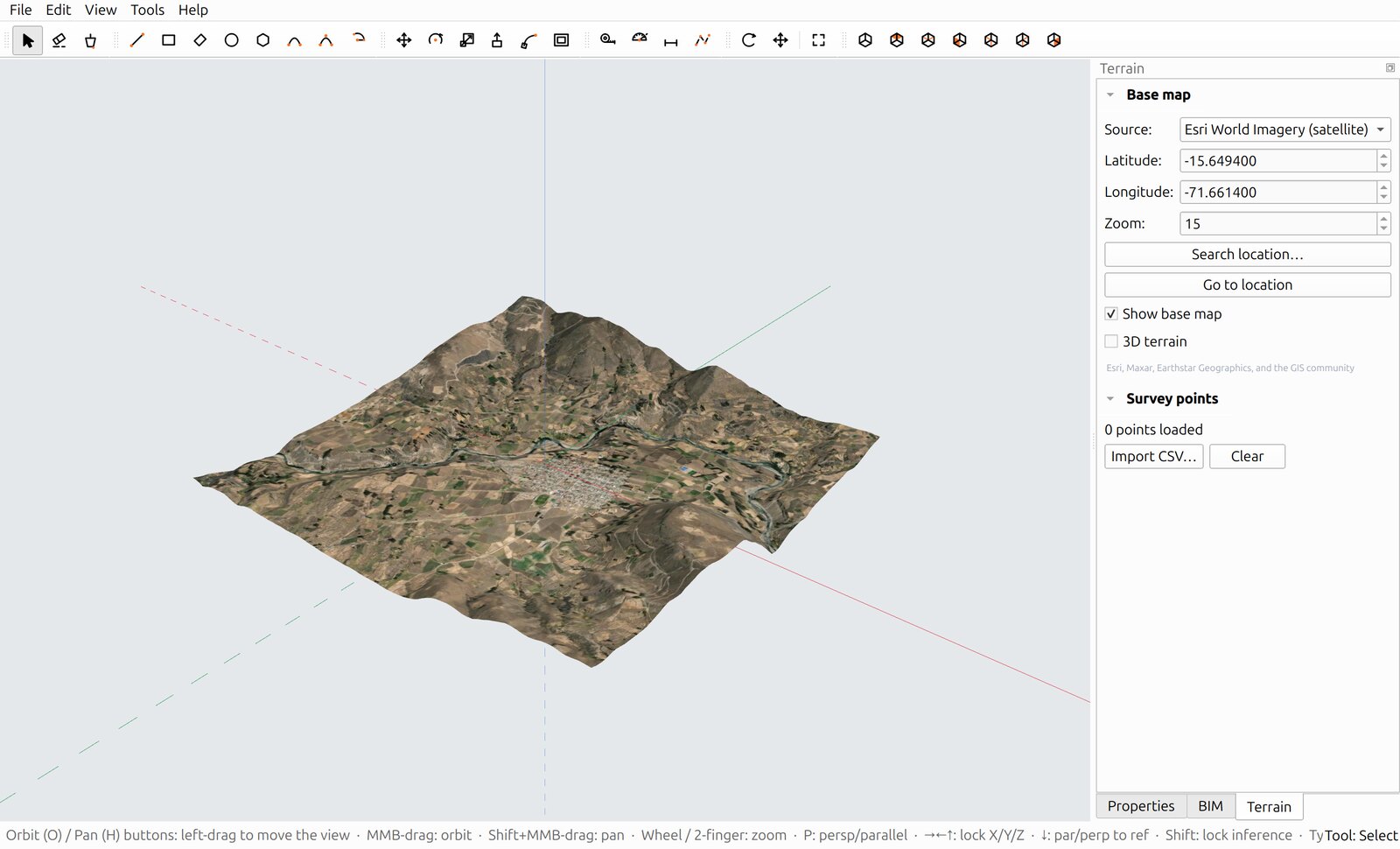 **Trazá. Metrá. Presupuestá.** — v0.2.0 closes the loop the project exists for: model freely, tag as BIM, and the quantities arrive **exact** in your budgeting software through validated IFC. Along the way, your `.dae` models migrate with textures and components, the terrain workflow takes real field data, and the UI grew a familiar menu layout. *(En la captura: terreno 3D real del valle del Colca — pueblo de Yanque, río y relieve — con imagen satelital drapeada, dentro del modelador.)* ## Highlights ### BIM → IFC: the bridge works 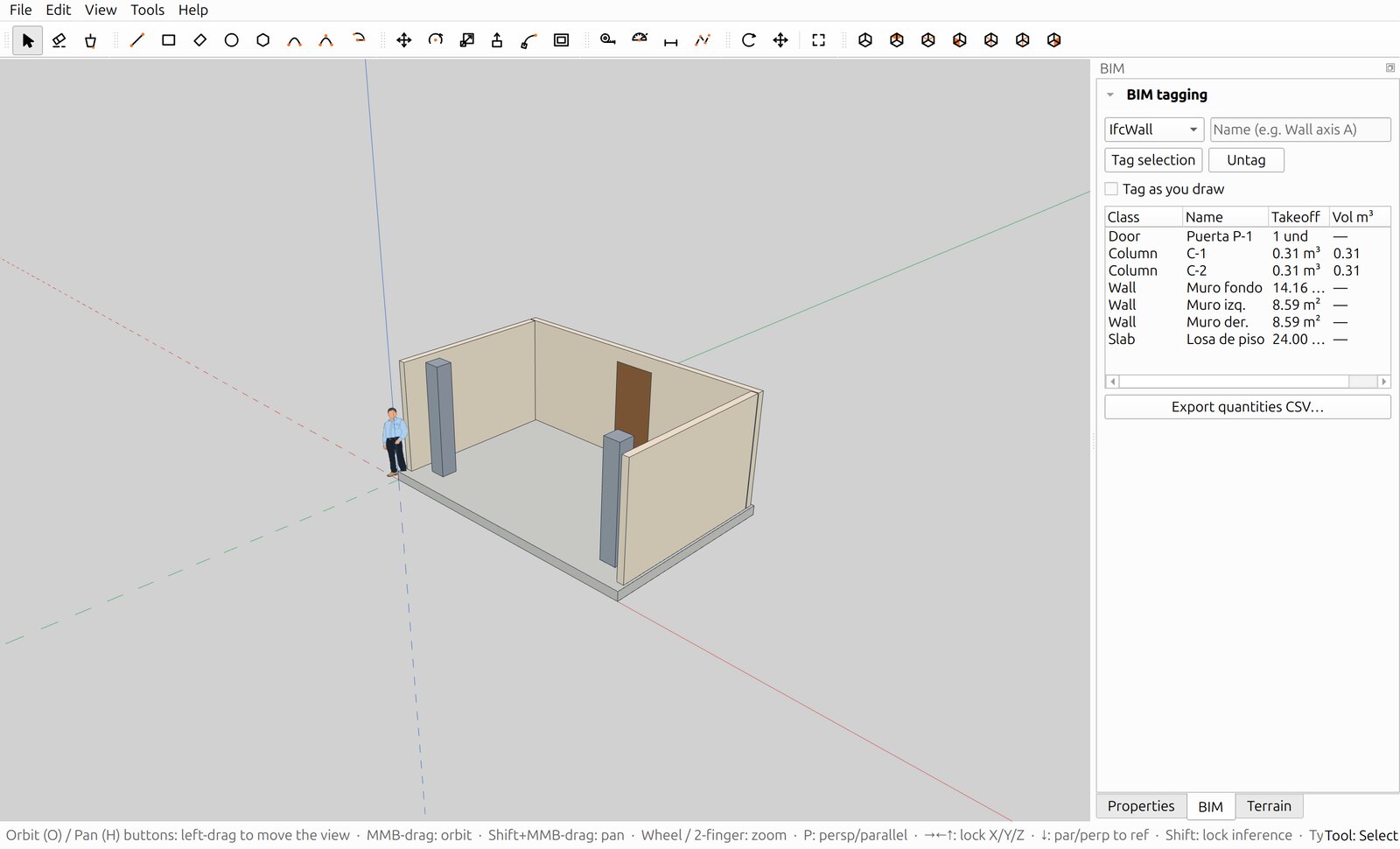 - **Per-class base quantities** (standard `Qto_*` sets): walls report net side area (openings discounted) + height/length/thickness; slabs area + thickness + perimeter; columns/beams volume + length + cross-section; doors/windows their real leaf dimensions; piles and railings by the metre. - **Validated against a real consumer**: the hand-written IFC4 export passes ifcopenshell's schema + EXPRESS validation with zero issues, and its geometry kernel tessellates every body — permanently guarded in the test suite. - **End to end with [IngePresupuestos](https://ingepresupuestos.com)**: a tagged model imported there lands every takeoff exact — walls in m², columns in m³, piles by the metre, doors by the unit. - **Tag as you draw**: arm an IFC class in the BIM panel and everything you trace assumes it — one BIM object per trace, honest per-object takeoffs, push/pull completes the tagged solid. ### Bring your models - COLLADA import with **real textures** (per-face UV), **the original group structure** (a plaza = 291 groups, not one blob) and **components as shared instances** (one mesh, N transforms — a real nursery project dropped 59k faces and halved its import time). - The face-me people and trees **turn toward the camera again**, with proper selection outlines and snap anchors. - Big-model interaction went from freezes to **60 fps orbits on a 394k-triangle plaza** (vectorised pick index: 2138 → 22 ms). ### Terrain, from field data - **Survey-point CSV import** (P,N,E,Z,desc in UTM from GPS/total station): the points become snappable markers — the pencil lands bit-exact on the surveyed coordinate. - **Named XYZ tile sources, saved forever** (QGIS-style): add your drone/orthophoto server once, it is always in the menu with its own tile cache. ### New tools 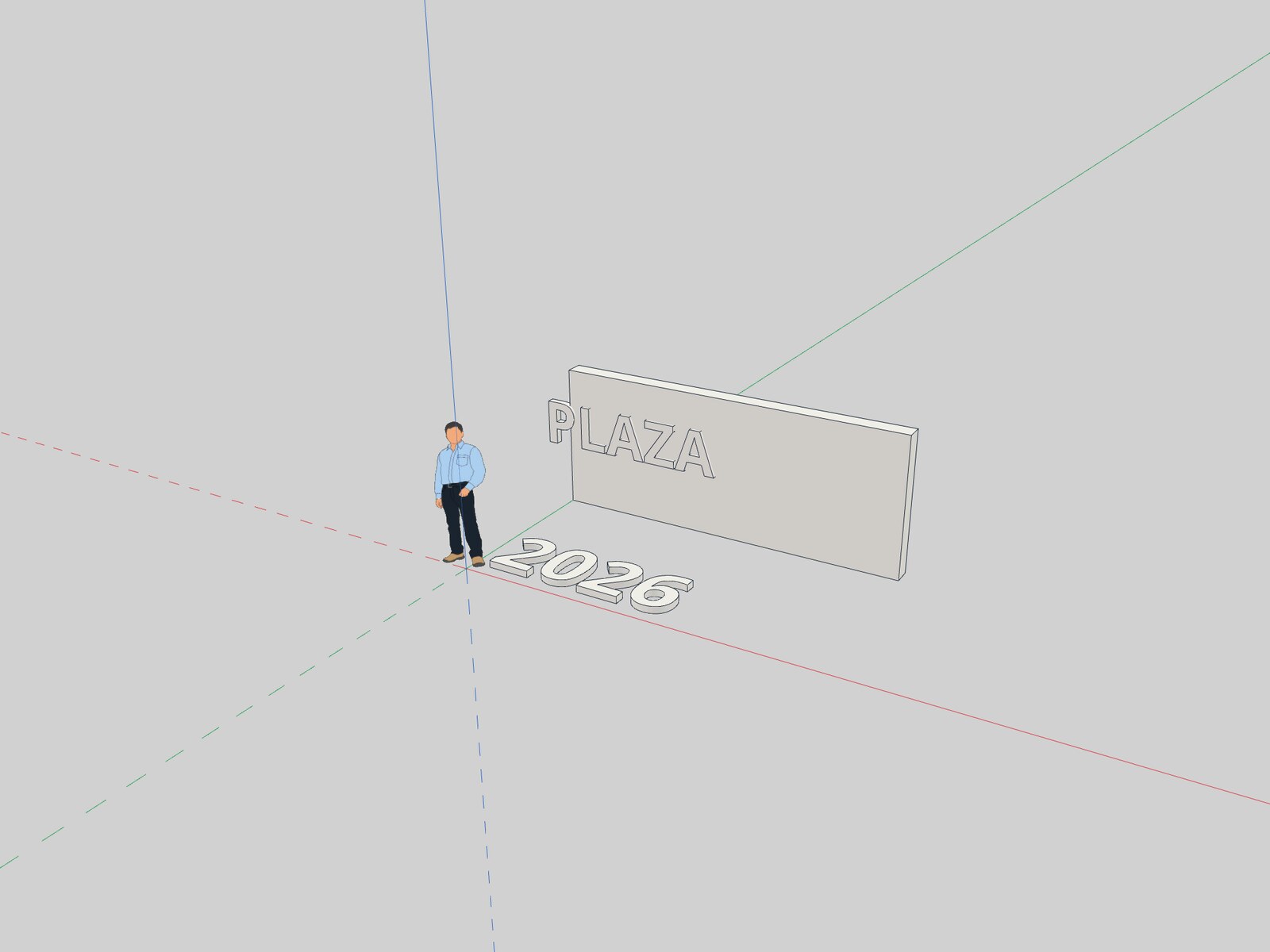 - **Text (X)**: leader annotations that prefill with the clicked edge's length / face's area. - **3D Text**: real extruded geometry from any font — one watertight solid per letter, smooth sides, glued to the face under the cursor (a relief sign on a wall, numbers lying on a slab). - **Hi-res image export**: the current view at any resolution (4K sheets straight from the program), presentation overlays included. - **Components tray** with image thumbnails; inserts follow the cursor and settle on the ground plane. ### UI, reorganized Menu bar reorganized (**Archivo · Edición · Cámara · Dibujo · Herramientas · Ventana · Ayuda**), File menu unified into Import/Export submenus, duplicate panel titles removed. ## Install **Windows** — download below: [`ingetrazo-setup-v0.2.0.exe`](https://github.com/tuxiasumari/ingetrazo/releases/download/v0.2.0/ingetrazo-setup-v0.2.0.exe) (installer, Spanish wizard, associates `.igz`) or `ingetrazo-windows.zip` (portable). If SmartScreen warns, choose "More info → Run anyway" (unsigned beta). **Linux / from source** (any OS): ```bash git clone https://github.com/tuxiasumari/ingetrazo && cd ingetrazo python3 -m venv venv && venv/bin/pip install PySide6 numpy venv/bin/python main.py ``` Full details in the [CHANGELOG](https://github.com/tuxiasumari/ingetrazo/blob/main/CHANGELOG.md). Free software under GPL-3.0 — issues and `.igz` repro files welcome.
Related Repositories
public-apis/public-apis★ 491,387
A collective list of free APIs
NousResearch/hermes-agent★ 256,216
The agent that grows with you
yt-dlp/yt-dlp★ 200,424
A feature-rich command-line audio/video downloader
microsoft/markitdown★ 191,654
Python tool for converting files and office documents to Markdown.
Significant-Gravitas/AutoGPT★ 187,714
AutoGPT is the vision of accessible AI for everyone, to use and to build on. Our mission is to provide the tools, so that you can focus on what matters.