

v0.1.0
niri-wm/niriv0.1.0Jan 27, 2024by YaLTeR
AI Summary
The first stable release of niri, a scrollable-tiling Wayland compositor. It features dynamic workspaces per monitor, a built-in screenshot UI, screencasting support, and fully live-reloading configuration.
Key Highlights
- Scrollable-tiling layout on an infinite horizontal strip.
- Dynamic workspaces persistent across monitor disconnects.
- Built-in screenshot UI (PrtSc and Alt+PrtSc).
- Screencasting support via xdg-desktop-portal.
- Fully live-reloading configuration.
New Features
- Scrollable tiling layout.
- Dynamic workspaces per monitor.
- Built-in screenshot UI.
- Screencasting support.
- Configurable layout (gaps, borders, struts).
Full Release Notes
Here it is. The first *real* release, after five months of work. Let's do a recap for the occasion.
This is niri, a scrollable-tiling Wayland compositor inspired by [PaperWM](https://github.com/paperwm/PaperWM). Windows are tiled on an infinite horizontal strip that scrolls left and right. They don't "overflow" onto adjacent monitors. Opening a new window never resizes existing ones.
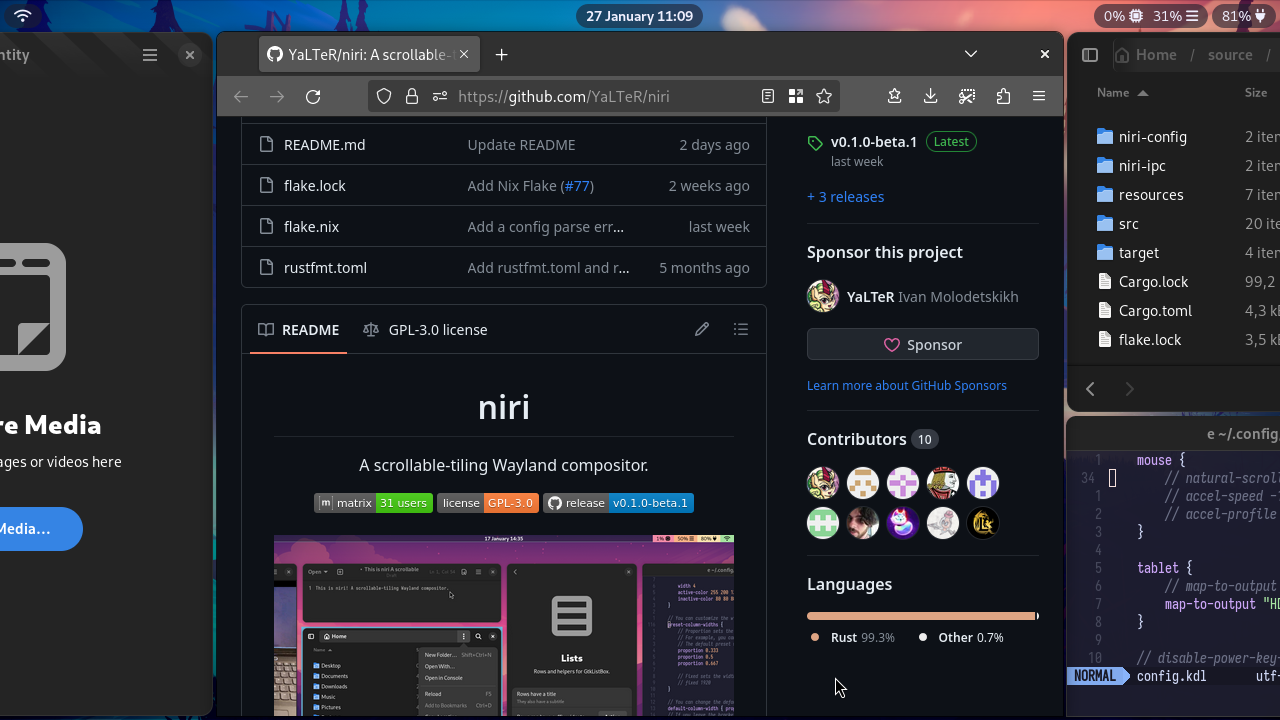
Despite this being the first release with [plenty of things left to do](https://github.com/YaLTeR/niri/issues), niri already packs a good number of features.
- All the basics. It's a Wayland compositor, it shows windows, runs on a TTY, works with multiple monitors and mixed-GPU systems, supports HiDPI.
- Dynamic workspaces like in GNOME, but per-monitor. Workspaces also remember which monitor they were on across monitor disconnects and reconnects.
- Some of the important desktop component protocols like wlr-layer-shell and ext-session-lock.
- A built-in screenshot UI. Press <kbd>PrtSc</kbd>, select a rectangle on a frozen screen, and press <kbd>Space</kbd> to copy the image to the clipboard and save to a file. Or screenshot one window with <kbd>Alt</kbd><kbd>PrtSc</kbd>.

- Screencasting support through xdg-desktop-portal-gnome. Works with OBS, browsers, and others.

- Fully live-reloading config.
- Configurable layout: things like gaps, borders, struts, window sizes.

If you want to see niri in action, here's a video demo from the README.
https://github.com/YaLTeR/niri/assets/1794388/5d355694-7b06-4f00-8920-8dce54a8721c
It's also worth mentioning that:
- NVIDIA GPU systems might have rendering issues.
- Xwayland in rootless mode is not supported. However, [you can use](https://github.com/YaLTeR/niri/wiki/Xwayland) its excellent rootful mode with niri. Games and X11 apps work just fine for the most part.
If you'd like to give niri a try, check the README for [building and running instructions](https://github.com/YaLTeR/niri#building). There are also a few community-maintained packages:
- [A COPR](https://copr.fedorainfracloud.org/coprs/yalter/niri) for Fedora users (ok, that one's made by myself).
- [A Flake](https://github.com/sodiboo/niri-flake) for NixOS.
- [An AUR package](https://aur.archlinux.org/packages/niri).
- [A port for FreeBSD](https://www.freshports.org/x11-wm/niri) and a pack of other BSDs, if GitHub code search is to be believed.
Finally, we have a [Matrix room](https://matrix.to/#/#niri:matrix.org). Feel free to drop by with a message.
### Changes since v0.1.0-beta.1
- Fixed config live-reload on NixOS configurations which change the config file symlink but leave the mtime constant (thanks @sodiboo).
- Fixed most cases of niri failing to light up monitors after a TTY switch (thanks @cmeissl).
- Fixed xdg-desktop-portal-gnome not updating the screencast monitor list upon monitor disconnection / reconnection (niri wasn't notifying it about changes).
- Fixed large windows with large CSD shadows getting cut on screenshots and screencasts.
- Fixed output config changes being ignored if done when on a different TTY.
- Fixed popups not showing up when an IME is active (for now as a workaround by disabling popup grabs when an IME is active).
- Slightly improved cursor rendering performance by avoiding CPU->GPU->CPU transfers (thanks @cmeissl).
- Slightly increased the precision of the default column widths in the default config. This should get one pixel back for the ⅓ column width on most monitors.
- xdg-desktop-portal screencasts will now receive the optional logical monitor size which some apps require.
- xdg-desktop-portal screenshots will now get an error instead of a broken screenshot for multi-monitor configurations (it needs to be implemented, see #117). This does not affect the screenshot UI.
- Fixed screenshot UI not showing up if the cursor ended up outside all monitors.